Malware analysis using Wine

Wine is a free implementation of Windows on Unix. That’s what the Wine web site says. To a malware analyst though, Wine is a free analysis platform that can be leveraged to analyze Windows executables.

How so?

It’s all thanks to the various so-called debug channels that Wine offers. Some of these channels – when enabled – turn Wine into a fully-blown tracer, an API monitor, or a complete log madness that includes any possible messages from Wine.

I won’t cover here how to install Wine, but you should easily find a recipe online. Once installed, it’s ready for a few quick tests that will demonstrate its main monitoring features (from the malware analysts’ perspective):

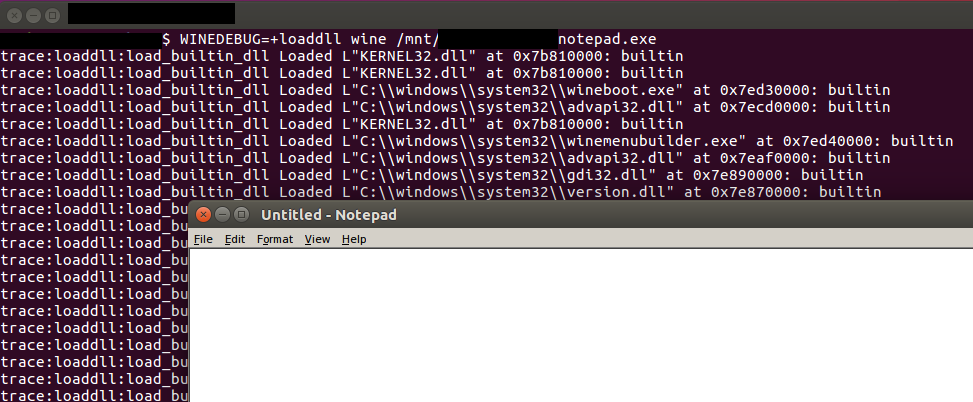
  • Showing a list of loaded/unloaded modules (during run-time)
    • WINEDEBUG=+loaddll wine /mnt/<path>/notepad.exe
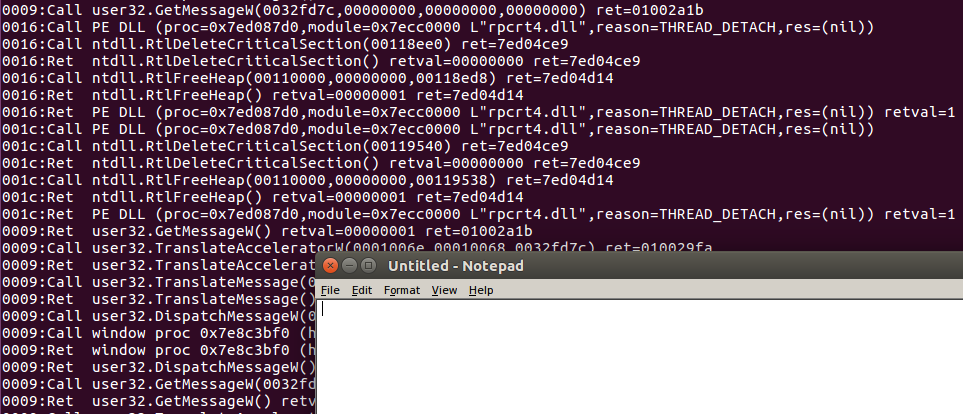
  • Showing list of API calls and their return values
    • WINEDEBUG=+relay wine /mnt/<path>/notepad.exe
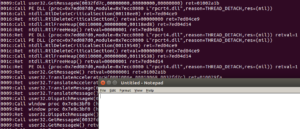
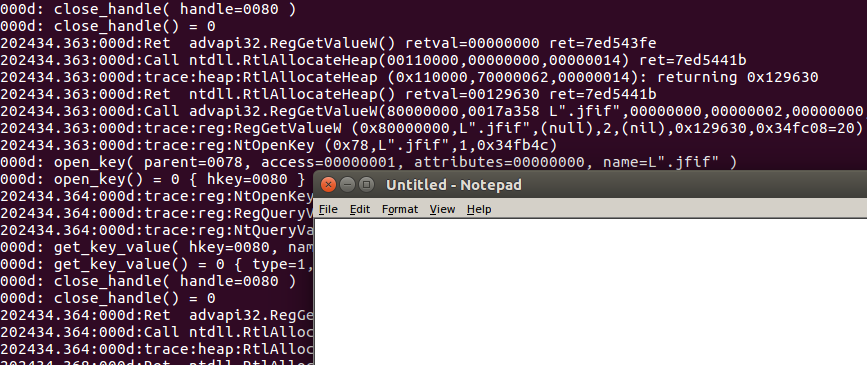
  • Absolute tracing madness (yet still meaningful)
    • WINEDEBUG=+all wine /mnt/<path>/notepad.exe
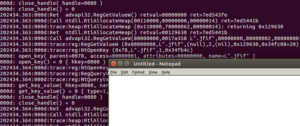
A number of channels can be combined, f.ex. one can run the following command:

  • WINEDEBUG=+relay,+tid,+timestamp

to prepend the API log with a timestamp, and the TID (thread ID) of the current thread executing the API inside the process:

202729.726:0024:Call ntdll.RtlAllocateHeap(00110000,00000000,00000020) ret=7ed13224
202729.726:0024:Ret  ntdll.RtlAllocateHeap() retval=00118ac8 ret=7ed13224
202729.726:0024:Ret  rpcrt4.I_RpcGetBuffer() retval=00000000 ret=7ed57c45
202729.726:0024:Call rpcrt4.NdrServerContextNewMarshall(00b4e718,00119078,7ed55770,7ed612a4) ret=7ed57c81
202729.726:0024:Call ntdll.RtlFreeHeap(00110000,00000000,00118fc0) ret=7ed14071
202729.726:0024:Ret  ntdll.RtlFreeHeap() retval=00000001 ret=7ed14071
202729.726:0024:Call ntdll.RtlReleaseResource(0011909c) ret=7ecfc83c
202729.726:0024:Ret  ntdll.RtlReleaseResource() retval=00000000 ret=7ecfc83c
202729.726:0024:Call ntdll.RtlDeleteResource(0011909c) ret=7ecfb4a7
202729.726:0024:Ret  ntdll.RtlDeleteResource() retval=00000000 ret=7ecfb4a7
202729.726:0024:Call ntdll.RtlFreeHeap(00110000,00000000,00119078) ret=7ecfb4bb
202729.726:0024:Ret  ntdll.RtlFreeHeap() retval=00000001 ret=7ecfb4bb
202729.726:0024:Ret  rpcrt4.NdrServerContextNewMarshall() retval=001166a8 ret=7ed57c81
202729.726:0024:Call ntdll.RtlAllocateHeap(00110000,00000008,00000018) ret=7ed03c9c
202729.726:0024:Ret  ntdll.RtlAllocateHeap() retval=00118c20 ret=7ed03c9c
202729.726:0024:Call ntdll.RtlAllocateHeap(00110000,00000008,00000030) ret=7ed04c44
202729.731:0024:Ret  ntdll.RtlAllocateHeap() retval=00118fc0 ret=7ed04c44
202729.731:0024:Call KERNEL32.WriteFile(00000024,00118fc0,00000030,00b4e748,00000000) ret=7ed0cc8f
202729.731:0018:Ret  KERNEL32.ReadFile() retval=00000001 ret=7ec72d02
202729.731:0018:Call ntdll.RtlAllocateHeap(00110000,00000000,00000018) ret=7ec6be06
202729.731:0018:Ret  ntdll.RtlAllocateHeap() retval=0011b888 ret=7ec6be06

A few notes at the end:

  • Wine supports both 64- and 32- Portable Executables
  • There are 400+ different channels; I will lie if I say that I know what all of them trace
  • Obviously, running executables under Wine is a subject to various sandbox detections, including these I described in the past.
  • The analysis could be automated to produce a decent sandbox report; while it can’t compete with commercial sandboxes, it may be a a decent solution for in-house analysis, especially for small companies (and as an alternative, complementary sandbox)
  • If combined with other free solutions, may provide a secondary sandbox for differential analysis i.e. certain artifacts could be compared between 2 sessions (f.ex. one in cuckoo and one in Wine) and help in highlighting ‘randomness’ of some artifacts f.ex. mutex names, files created, etc.
  • Since it is running natively on Linux, lots of tools are available out of the box that may help in scripting and data processing
  • The source code is available and you can modify it to your purposes (f.ex. add automatic yara rule generation for specific artifacts, automatic URL extraction, etc.)
  • Last, but not least – it won’t work with some executables – it still has bugs & features that are not implemented yet

All in all, yet another tool that may sometimes come handy.

A few ideas to mess around with threat hunting, and EDR software (anti-threat hunting/anti-edr)

I just came back from holidays and since time off it’s usually a great time to make your brain run idle, it often turns it into a bit more creative device than usual. As a result I came up with a number of ideas that I will post about in the coming days. I’ll kick it off by discussing the anti-threat hunting/anti-edr techniques.

I do threat hunting for living, so it’s not just a post to play a devil’s advocate, but an invitation to discuss ways of detecting techniques I am going to present below (and potentially others).

To stay focused, I’ll mainly talk about the process creation events that can be typically analyzed inside Splunk (or other log aggregator) that is collecting Windows Event logs (f.ex. Security events with the Event ID 4688) and data from a typical EDR software (this includes sysmon). The discussion can be extended to other events quite easily.

Okay, so let’s assume that we have a nice collection of events showing us all the process names (and possibly command line options) from the systems and we already created rules for detecting some anomalies + we regularly review the alerts and new event logs to see if there is any new anomaly that we can potentially spot by just eyeballing data and codify into a new alert/watchlist. A clever attacker could attempt to modify our logs in a way that could affect these automated detections & analysis by attempting to hide the execution of some processes, or if lucky (I have not tested it), perhaps even hide some of the logs from the analyst.

Here’s how it could work:

  • Many watchlists focus on process names; changing a process name turns the watchlist useless (f.ex. macro could copy ‘powershell.exe’ to ‘harmless.exe’ before executing the powershell snippet, or ‘cscript.exe’ to ‘goodprogram.exe’); try it, it actually works and since the copy operation can be delivered via API, it may be hard to spot it by just looking at process logs; to detect it we would need to look at the flow of both process creation events and preceding it file system operations
  • Lots of analysis happen on Web UI level; if the EDR or Event Viewer doesn’t process the HTML entities correctly, there is a possibility of injecting tags modifying the flow of the generated HTML; I have not tested it, but it’s a possibility
  • Possibly a silly idea, but EDR has to store data somewhere and it probably uses some database; would a carefully crafted path or a file name cause an SQL command to fail? [similar to SQL injection; could we delete all records by doing SQL injection using a specially crafted event?]
  • There are potential bugs in EDR that can be exploited
  • Homomorphic object names f.ex. paths, and file names (using two identically looking Unicode characters with one non-English replacing opcodes for English characters) may make the analyst ‘blind’; if the attacker creates ‘c:\Windоws\system32\calc.exe’ and ‘o’ in ‘Windows’ is a Cyrillic ‘о’, the paths will look identical and casual eyeballing of the data will miss this entry classifying it as a legitimate ‘c:\Windows\system32\calc.exe’; this can be detected using data stacking, and by showing the non-standard English characters (especially these that can be used for homomorphic paths) using their Unicode code in an escaped form (or using a different color at least).
  • Delays are a trouble to sandboxes. The very same is true for EDR; if the events are generated slowly, it may be hard to correlate them + they will be interleaved by a large number of other, legitimate events; unfortunately, even basic event logs are quite noisy (load module, create open file/registry, etc. – lots of it comes from legitimate OS libraries; perhaps filtering of white-listed events is required)
  • Direct attack on EDR could prevent event interception; this is not bugs per se, but understanding how the software operates may help to bypass it:
    • If the EDR doesn’t work from kernel/hypervisor level, one could modify access rights to the malicious files so they can’t be accessed; same goes for directories, registry
    • If the EDR doesn’t protect its services, processes, registry keys, files from tampering, this could help to kill its functionality (same techniques as for AV)
    • Evasions could be built-in for specific EDR that bad guys don’t know how to bypass (EDR detection working the same way as sandbox / vm detection)
    • Finally, knowing the network protocol, one could potentially install a filter (or simply patch the code in memory) that would disable the event reporting that is related to malicious activity (EDR events going via malicious proxy!)
  • Using new hacking tricks may help to bypass EDR as well (good to follow the trends in pentesting world)
  • If the system is a web server, it may be hard to spot activities on the system if delivered via a web shell that talks directly to API
  • Also, lots can be done from ntdll alone and it’s resident in every process; and while using NT call, or even syscalls directly is trickier, it could bypass some of the user-mode EDR engines as well; in other words – spawning new processes is a lazy way malware does it today, but it may change in the future
  • and so on, and so forth…