I was toying around with the static DLL loading and came across a very strange behavior.
So… I created a small .exe file that depends on dll1.dll and dll2.dll, linked statically, and calls function1 and function2 from each DLL respectively.
...
Start:
 invoke function1 ; from dll1.dll
 invoke function2 ; from dll2.dll
 invoke ExitProcess,0
When loaded (and when the respective function is called) the DLLs create one of the following files:
- DLL1.DLL
- c:\test\dll1_attached – DLL is loaded (attached)
- c:\test\dll1_detached – DLL is unloaded (detached)
- c:\test\dll1_function – ‘function’ is called
- DLL2.DLL
- c:\test\dll2_attached – DLL is loaded (attached)
- c:\test\dll2_detached – DLL is unloaded (detached)
- c:\test\dll2_function – ‘function’ is called
I then modified the section attributes for dll2.dll so that its .text section doesn’t have code execution rights.
 Name: .text
 VirtualSize: 0x00000070
 VirtualAddress: 0x00001000
 SizeOfRawData: 0x00000200
 PointerToRawData: 0x00000400
 PointerToRelocations: 0x00000000
 PointerToLinenumbers: 0x00000000
 NumberOfRelocations: 0x0000
 NumberOfLinenumbers: 0x0000
 Characteristics: 0x00000000 <---- no flags
The dll1.dll .text section looks like this:
 Name: .text
 VirtualSize: 0x00000070
 VirtualAddress: 0x00001000
 SizeOfRawData: 0x00000200
 PointerToRawData: 0x00000400
 PointerToRelocations: 0x00000000
 PointerToLinenumbers: 0x00000000
 NumberOfRelocations: 0x0000
 NumberOfLinenumbers: 0x0000
 Characteristics: 0x60000020 <---- (CODE, EXECUTE, READ)
I then tested this file set on on Win 10 x64. After dropping the files into VM I ran the test.exe.
The first run shows the expected behaviour – i.e. the application crashes:
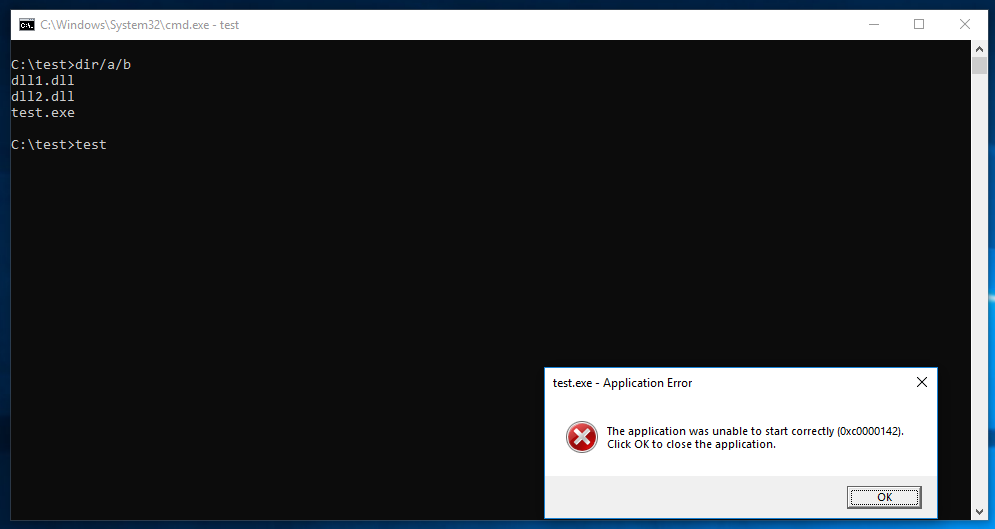
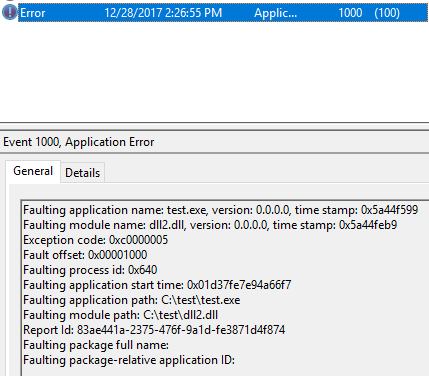
There is an event logged in the Event Logs as well:
To my surprise, when I re-run the test.exe it… actually works: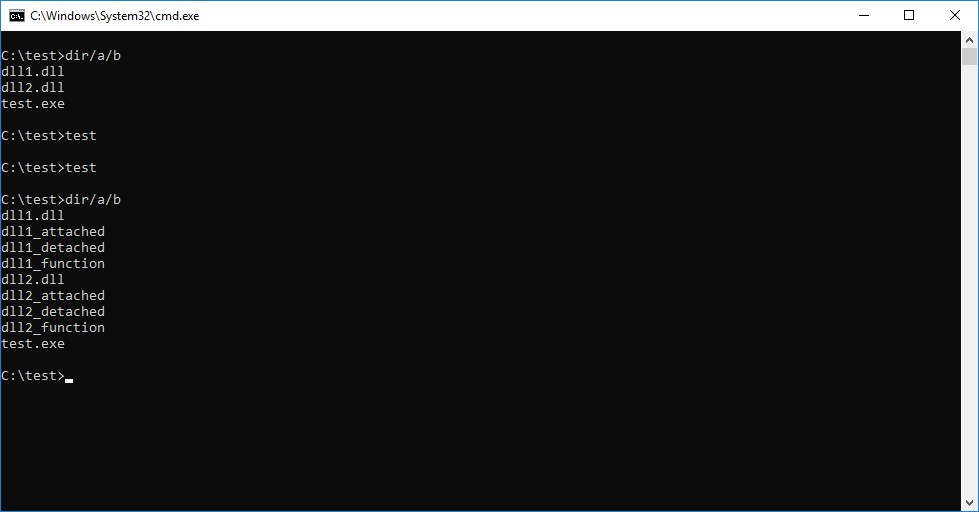
Running it again and again I am getting inconsistent results. I drop the files into a win10 VM and sometimes it crashes with the first run, same as described above. And sometimes it runs smoothly.
For the same set of files tested on Win7 x64 – I get the ‘dll1_attached’ created, but then the test.exe crashes.
When dropped into XP VM, it works w/o any issues (files are created).
When I manipulate .text section attributes for dll1.dll the application always crashes. So, it would seem that the section of the first DLL cannot be modified, but the second one can.
I am now scratching my head… Looks like a potential DLL mapping bug?
The memory layout looks like this:
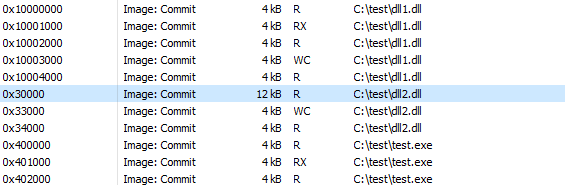
Ideas?
You can grab the files here.