TL;DR;
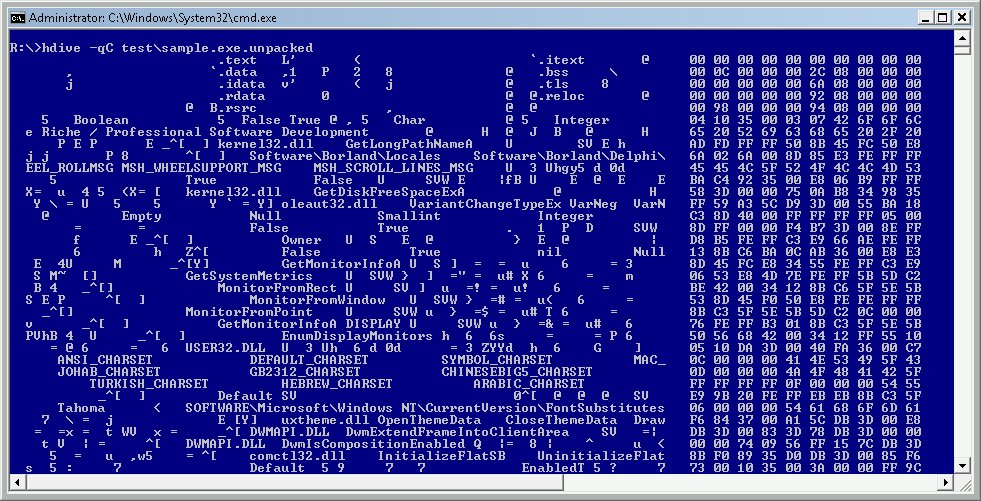
a new strings tool that attempts to extract localized strings e.g. French, Chinese from an input file; see example below
Intro
Traditional strings utilities are usually limited to ANSI/Unicode-LE/Unicode-BE strings. This is understandable as these are the most prevalent type of strings that we come across in our daily work. However, many files exist that contain more strings – these we usually miss as they contain accented letters and these break the typical string extraction algorithms. On top of that there are a lot various character encodings out there that make it non-trivial to pick up right bytes in a regular expression or a state machine. One can have accented letters saved as Unicode-LE, Unicode-BE, UTF8, or using one of many legacy encodings e.g. Windows Code Pages or IBM EBCDIC encodings.
For quite some time I had in mind an idea to write a smarter strings extraction program that would take this localization/encoding mess into account so even before I released RUStrings I had been already thinking to write something more generic. In other words, I wanted to write a tool that can extract strings from a file in any well-known encoding and language possible.
As usual – I didn’t know what trouble I am getting myself into when I began :).
As mentioned earlier, there are many encodings used by various platforms and the same string of bytes can be… a random garbage… or it can be representing a string of characters encoded in one of at least 150 encodings possible including not only legacy encodings, but also Unicode. And not Unicode seen as a subset of characters belonging to ASCII set interleaved by zeros (‘simplified Unicode’ that string extraction tools rely on), but Unicode that includes blocks dedicated to specific languages and letters e.g. Chinese, Cyrillic, Hangul, etc.
The tool I present below attempts to:
- read an input file,
- walk through the file content
- apply heuristics and find characters encoded as:
- bytes (ANSI and other legacy character sets)
- words (Unicode LE, Unicode BE, and DBCS)
- byte sequences (utf-8, utf-7, MBCS – multibyte encodings e.g. iso-2022-jp (Japanese) , GB18030 Simplified Chinese etc.)
- it then normalizes these code points to Unicode LE
- and appends the strings to an output file for a specific encoding
At this stage program is in alpha stage as I am still not sure how to present the output properly. Currently the program generates a lot of output files. Way too many. But it is not trivial to make it simpler.
From a data processing perspective it is actually quite a complex problem – since bytes can be interpreted in many ways, the program needs to show all of all the possible strings extracted from a file. The same string of bytes can be easily interpreted as some legacy ANSI code page (actually, simultaneously almost all of them), or as Chinese multibyte encoding – it then needs to normalize the output to unicode, so we have multiple unicode streams coming out of multiple decoders and in the same location of the file. My detection algorithm relies on state machine-like heuristics and it outputs data as it goes through the data. Since the various encoding heuristics are applied at once (one pass through a file), outputting data to a file may cause race conditions and streams from various decoders can start interleaving – leading to a mess. So, currently the output is in different files. I have a few ideas on how to solve, but each has a trade off associated with it, so stay tuned 🙂
Okay, enough babbling and boring theory – let’s look at some example.
EXAMPLE
First, we need to create a a few text sample files that contain some random text in various languages encoded in many different encodings.
I generated a few non-sensical lorem-ipsum texts by Lorem Ipsum Generator.
Russian
Нам аутым убяквюэ нолюёжжэ ад. Нам граэкы компльыктётюр нэ. Квуй видырэр ёнэрмйщ ку, прё ат фиэрэнт элььэефэнд эррорибуз. Ан нам фэюгаят юлламкорпэр интылльэгэбат. Пэр декам квюаэчтио эа, эним витаэ июварыт вэл экз, эа емпэтюсъ элыктрам шэа. Ед съюммо ыльигэнди мэль, ыам эи кхоро кэтэро зальютатуж, одео нюмквуам мэнтётюм эа квуй.
Chinese
主谷三間機望飼営電時始能快本面一界。約握企曜回金忙出行場説必確天下員週。連芸止嘩健集人説火忘冠率庭泉。田位国以供地紹臣同旅百出済理強波。球告続況時心断主別重並行県邦不康。記悪暮投氏性善治地長中消。小作解共供小田民覧花伝聞団点。止都要空性難改大境新真権軽降真細登皇。読道決集房休講員軟渡慎無告書。社風理載当宿竹金来簡月教。
Greek
Ιδ φιμ ιλλυδ αλικυαμ συσιπιθ, ετ ηαβεο σανστυς κυι, θεμπορ λυπταθυμ σομπρεχενσαμ μει αν. Υθροκυε νολυισε νες ετ, αδχυς οφφισιις ινφιδυντ αδ σεα. Συ νες λιβρις θιμεαμ. Φιξ μαζιμ λυπταθυμ δελισαθισιμι υθ. Περ υθ πωσε μυνερε.
Luxembourgish
As Fläiß ménger Stieren dat. An och sinn Stret gewalteg, wär am gutt d’Land hinnen, wäit eraus ménger si dee. Feld löschteg mä gei. Fu sou deser Riesen, Blummen löschteg hun jo.
I then saved these files with different encodings:
- Russian: 1251, koi8-R, Unicode-BE, Unicode-LE, UTF8
- Chinese: utf8, GB2312, GB18030
- Greek: Unicode-BE, 1253
- Luxembourgish: 1252, Unicode-LE
Once done, I combined all of the files into one large file – now the sample file contains multiple texts in multiple different languages saved in multiple different character encodings:

Running htrings over the file produces multiple output files:

Yes, it’s quite a lot and reviewing them all is atm an overkill; I have already mentioned that I am still thinking how to improve the presentation layer 🙂
The rule of a thumb is to start with Windows ANSI code pages, UTF8, Unicode-LE (ULE*) and Unicode-BE (UBE*) and of course cheat – we can go ahead and look at the files associated with the encodings we used in the example above i.e. Russian, Greek, etc. – after all, it’s just an example :):
Previewing the result files gives us the following:
- h_GB18030,GB18030 Simplified Chinese (4 byte); Chinese Simplified (GB18030)

- h_windows-1253,ANSI Greek; Greek (Windows)

- h_windows-1251,ANSI Cyrillic; Cyrillic (Windows)

- h_windows-1252,ANSI Latin 1; Western European (Windows)

So, it would seem that it works…
I will be releasing the first version of hstrings soon.
Thanks for reading!