Two PE tools you might have never heard of. Now you do.

There are tones of PE tools out there and lots of them are rehashing the very same ideas over and over again. It is easy to find numerous PE viewers, PE editors, PE dumpers, PE identification tools and so on and so forth. It is sad to see that many of them rarely reach quality and usability levels as the good-ol’ LordPE, PE Tools, or PEiD.

Still, there are gems out there that are not very popular, yet it is really worth having them at hand during reverse engineering sessions.

Here are two of them:

Extensive File Dumper

Pretty much everyone heard of IDA Pro and Hex-Rays Decompiler.

But how many heard of Extensive File Dumper?

The tool is freely available online on the Hex-Rays web page.

Go and grab it.

It is one of not so many dumping tools that supports crazy number of file formats – as per the Hex-Rays page:

EXE, NE, LE, LX, PE, NLM, XCOFF, COFF, OMF, DBG, PRC, PEF, OS9, N64, PSX, EPOC, AR, AMIGA, ELF, ECOFF, HP SOM, GEOS, OLE2, AIF, AOF, AOUT, PE+, OMF166, MachO, XE/XBE, JPG, CIFF, TMOBJ, MRW, TIFF, MPG, CWLIB XCP.DAT, WMF, DSO, PDB

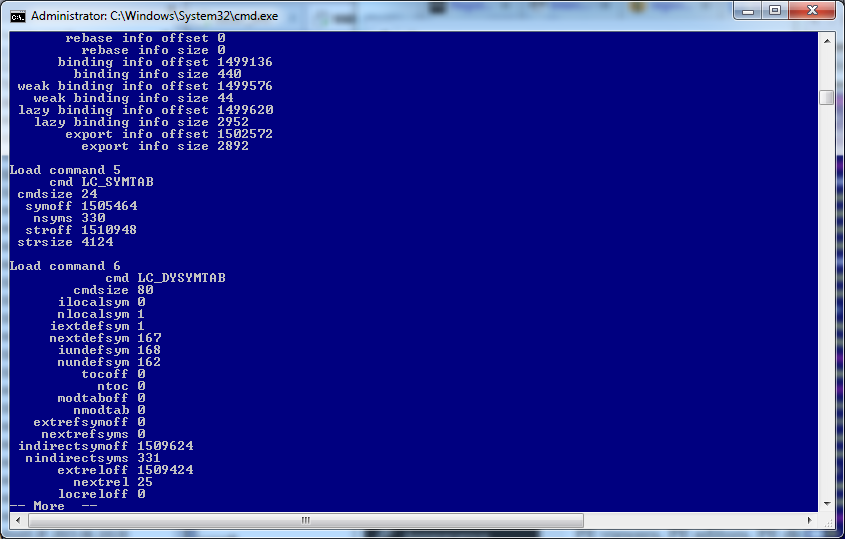
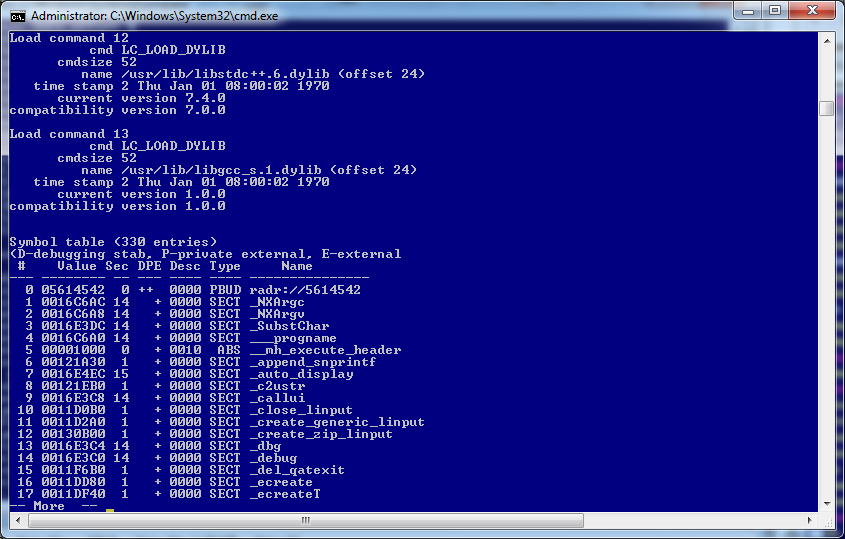
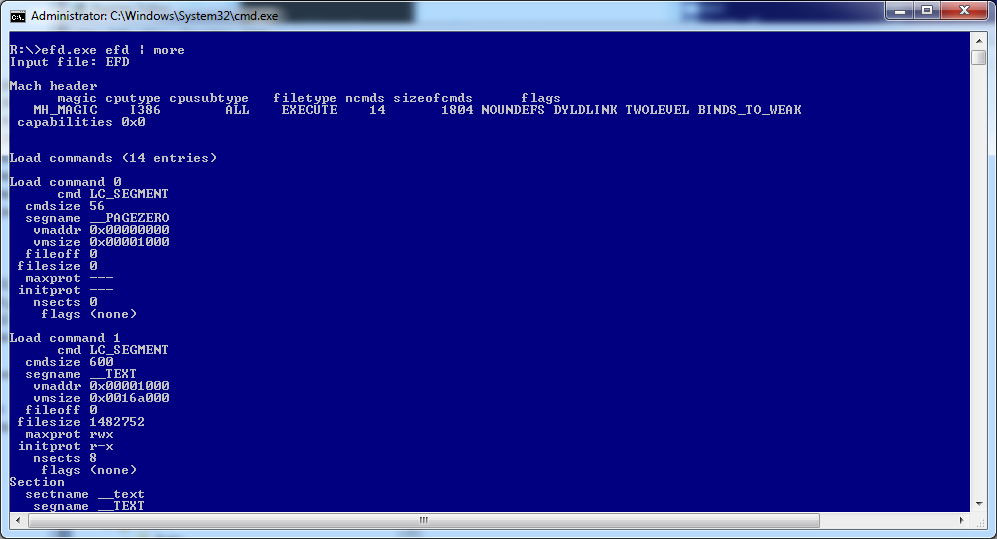
Notably, this is one of not so many tools available on Windows platform that parses Mac executable files – anyone wanting to view the internal info of Mac executables typically uses ‘otool’ on Mac. Being able to view similar info on Windows is really handy.

To spice things up, it is a multiplatform tool and Hex-Rays distributes it in 3 versions (refer to folders win, mac, linux inside efd.zip)

Example:

efd.exe showing info on the efd (MAC version)
efd_1

efd_2

efd_3

Detect It Easy a.k.a. DIE

This is an awesome compiler/packer detector available on http://ntinfo.biz/.

The reason why it stands out?

Here are a couple:

  • The author uses a dedicated signature engine to detect various types of files (not only PE)
  • It recognizes nearly 1000 file types
  • PE detection is based not only on patterns, but also on more complex algorithms – it can not only determine that a file is compiled f.ex. with Microsoft Visual Studio – it also give you the most probable version of the compiler + some extra info, if available
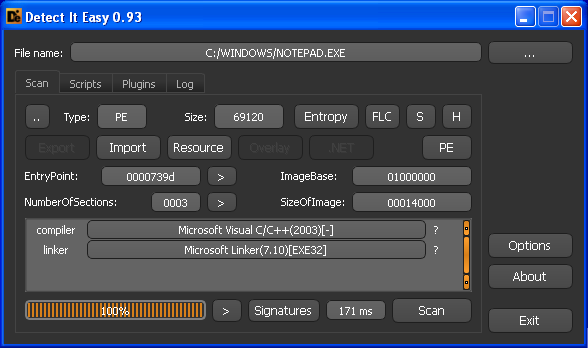
die_1

  • Bonus: scripts are readable and you can view/modify algos (see db folder), or click Signatures button (after loading a file)
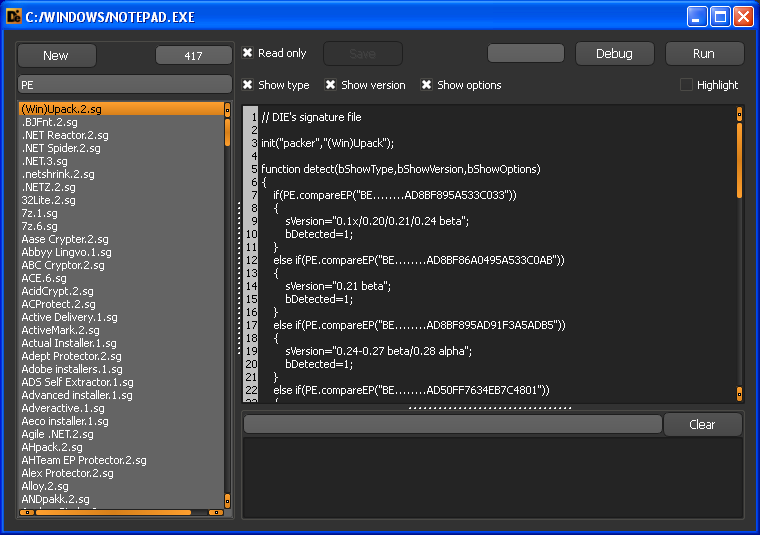
die_4

  • Bonus#2: The scripts can be debugged !
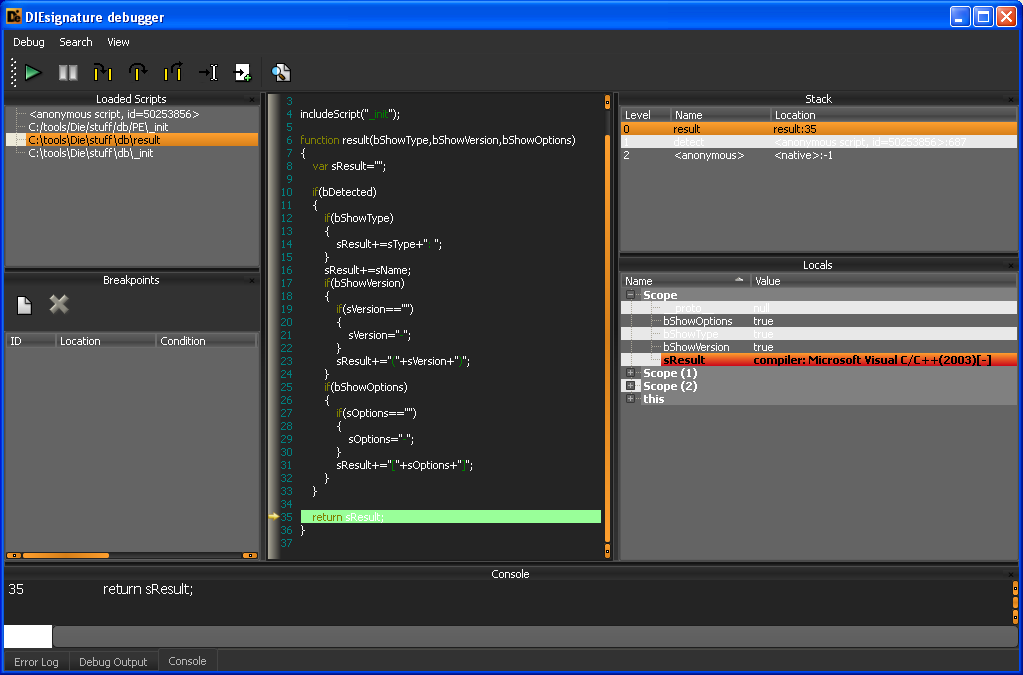
die_5

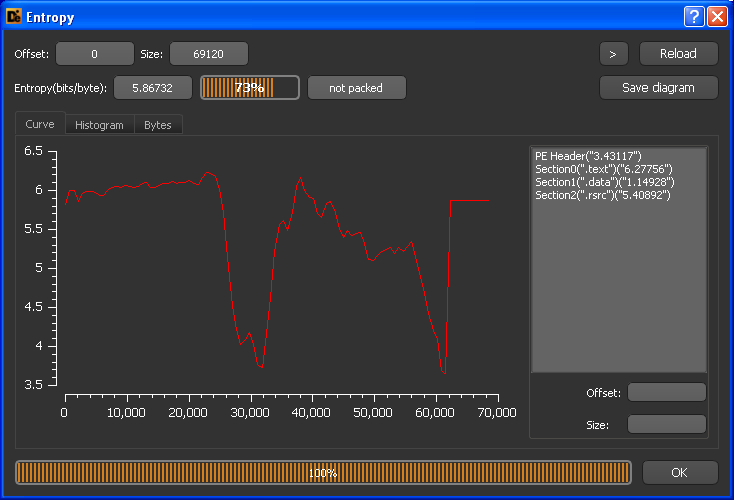
  • It shows entropy of the file in a graphical way
die_2

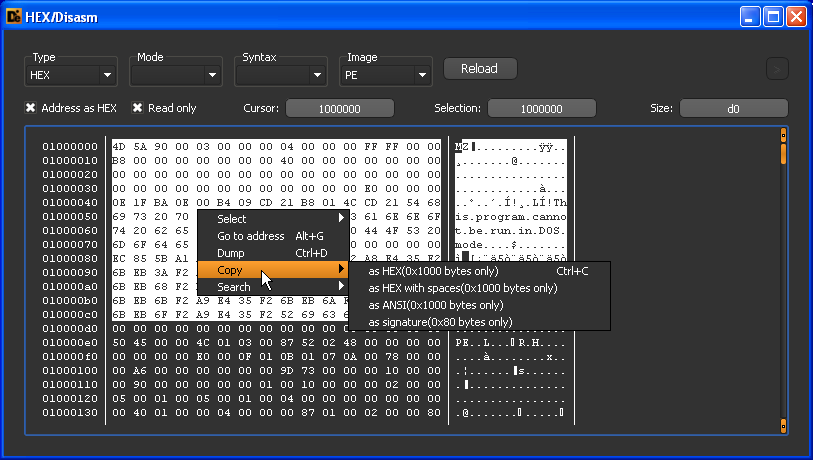
  • Allows to copy snippets of data to clipboard in many ways + extract them as a binary
die_3

Enter Sandbox – part 7: Hello, مرحبا, 您好, здравствуйте, γεια σας

Most of modern applications use Windows APIs that rely on Unicode (or, at least its subset) and as such they rely on ‘W’ versions of the APIs as opposed to older apps that used ANSI ‘A’ versions (f.ex. CreateFileW vs. CreateFileA). Of course, the native APIs rely on Unicode for a long time. Unicode makes it easy and avoids ambiguities associated with the ANSI encodings which can always be mapped to many character sets – depending on the OS/application version. This is why running old localized applications on English OS leads to some unrecognizable garbage characters shown on the UI.

The number of old apps that rely on ANSI functions is still very huge and not taking them into account makes it harder to cherry-pick some interesting clues from the samples. Some of these clues can make it to the final report as well and actually enrich it a lot.

Let’s look at an example.

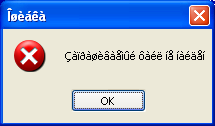
An application does something, and then displays a message box with a caption ‘Îøèáêà’ saying ‘Çàïðàøèâàåìûé ôàéë íå íàéäåí’.

msgbox1
Obviously, it doesn’t tell us much.

What if we attempted to translate it blindly into Unicode using the most popular ANSI encodings?

We would get sth like this:

1250 (Central Europe)           = Îřčáęŕ
1251 (Cyrillic)                 = Ошибка
1252 (Latin I)                  = Îøèáêà
1253 (Greek)                    = Ξψθακΰ
1254 (Turkish)                  = Îøèáêà
1255 (Hebrew)                   = ־רטבךא
1256 (Arabic)                   = خّèلêà
1257 (Baltic)                   = Īųčįźą
1258 (Vietnam)                  = Îøèáêà
 874 (Thai)                     = ฮ๘่แ๊เ
 932 (Japanese Shift-JIS)       = ホ碎
 936 (Simplified Chinese GBK)   = 硒栳赅
 949 (Korean)                   = 丘矮魏
 950 (Traditional Chinese Big5) = 昮魨罻

for the caption, and for the message:

1250 (Central Europe)           = Çŕďđŕřčâŕĺěűé ôŕéë íĺ íŕéäĺí
1251 (Cyrillic)                 = Запрашиваемый файл не найден
1252 (Latin I)                  = Çàïðàøèâàåìûé ôàéë íå íàéäåí
1253 (Greek)                    = Ηΰοπΰψθβΰεμϋι τΰιλ νε νΰιδεν
1254 (Turkish)                  = Çàïğàøèâàåìûé ôàéë íå íàéäåí
1255 (Hebrew)                   = ַאןנארטגאולי פאיכ םו םאיהום
1256 (Arabic)                   = اàïًàّèâàهىûé ôàéë يه يàéنهي
1257 (Baltic)                   = Ēąļšąųčāąåģūé ōąéė ķå ķąéäåķ
1258 (Vietnam)                  = Çàïđàøèâàǻûé ôàéë íå íàéäåí
 874 (Thai)                     = วเ๏๐เ๘่โเๅ์๛้ ๔เ้๋ ํๅ ํเ้ไๅํ
 932 (Japanese Shift-JIS)       = ヌ瑜籵褌隆 鴉 淲 浯鱠褊
 936 (Simplified Chinese GBK)   = 青镳帏桠噱禧?羿殡 礤 磬殇屙
 949 (Korean)                   = 행穽星外齧荏?牒雨 張 壯藕孼
 950 (Traditional Chinese Big5) = 瀔僤魤馲檞?邍澣 翴 縺毈樇

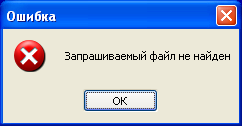
Even without the knowledge of the specific languages it’s easy to pick up the correct mapping which is ‘Ошибка’ (meaning ‘Error’) for the caption, and ‘Запрашиваемый файл не найден’ (meaning ‘File not found’) in Russian.

We can confirm it by running it on the Russian OS:

msgbox2

The exercise above my friend is an attempt to make a sandbox polyglottic. Add some modules to recognize the most common languages and who knows, maybe it will be able to recognize that these calls to FindWindow know no linguistical boundaries and are… not too friendly:

  • Скрытый процесс запрашивает сетевой доступ
  • Hidden Process Requests Network Access
  • Ein versteckter Prozess verlangt Netzwerkzugriff.
  • Un proceso oculto solicita acceso a la red
  • Un processus cache requiert une connexion reseau.
  • Внимание: некоторые компоненты изменились
  • Warning: Components Have Changed
  • Warnung: Einige Komponenten wurden verandert.
  • Advertencia: Los componentes han cambiado
  • Avertissement : Les composants ont change
  • Menedżer Zadań Windows
  • Создать правило для
  • Create rule for
  • Regel fur
  • Crear regla para
  • Creer une regle pour
  • 瑞星杀毒软件
  • 登录信息
  • 文件保护
  • 월드 오브 워크래프트
  • 삼국지
  • 하이로우2