Few days ago my buddy and I had a chat about so-called old-school forensics. The one where you often used Encase, and – if you were inclined enough – EnScript scripting.
This convo led me to my old Enscript code that I wrote over 15 years ago.
At that time I worked for a consulting firm that was specializing in analysis of carding-related breaches, and we often saw the very same Threat Actors attacking victims in a hospitality and catering sector all over the place. Thanks to my reverse engineering skills, I ended up doing a lot of malware analysis tasks for the whole team back then + since I was very interested in automation, I ended up developing a very basic and rudimentary triage Enscript script that one could just run immediately after they mounted an image in Encase.
Reviewing that code this week… the code I wrote so many years ago… made my jaw drop.
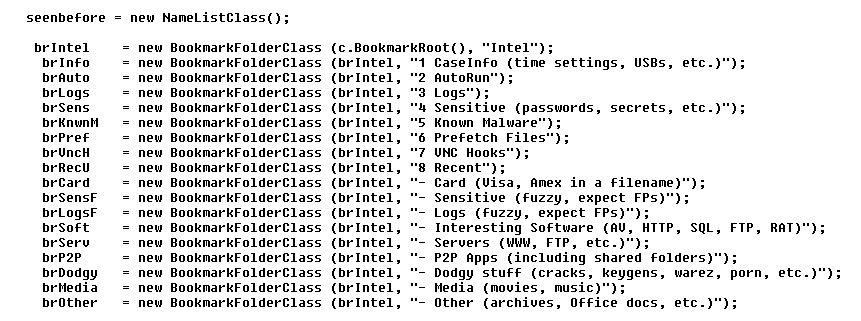
The stuff my script was looking at, and doing, back then… can be seen as a very early threat hunting exercise focused on a data from a single endpoint. An exercise where the artifacts were extracted in an automated fashion, bookmarked for review, and organized into a hierarchy that was supporting that quick&dirty review process:
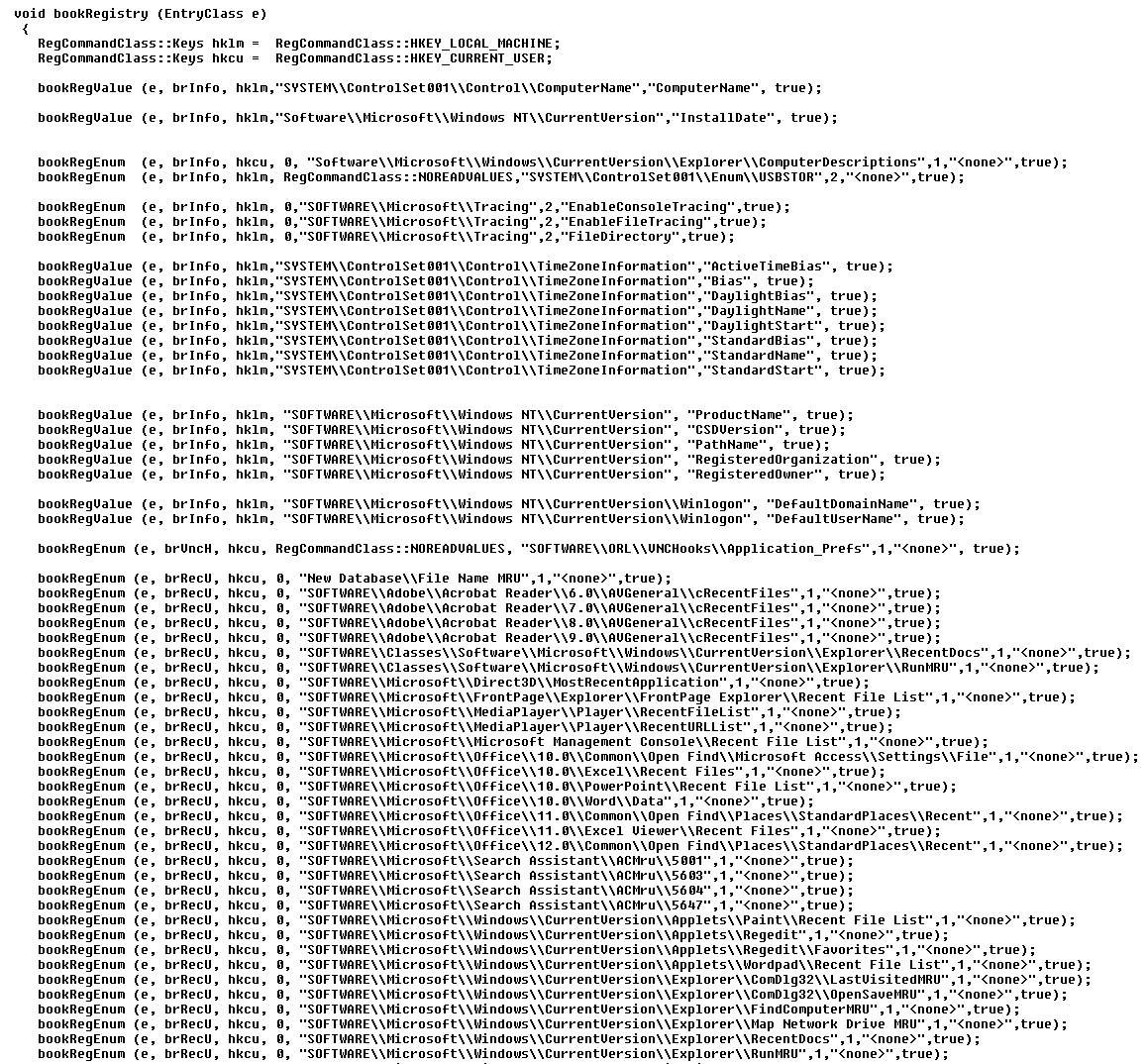
The other routine was trying to bookmark a lot of important Registry entries associated with vital forensic information, so one could just walk through them and identify/extract information that could make it into a report + highlight a lot of other Registry entries that could help finding that anecdotal smoking gun (f.ex. many recent folders):
The code also includes a list of known malware/hacking file names, multiple persistence mechanisms, and a few other tricks…
I don’t think it ever became a ‘One click to solve the case’ type of solution, but it definitely helped me to structure and systematize my approach to case analysis…
And I guess… ‘what’s old, is new again’. Every once in a while.