You don’t need to read it if you are an experienced reverse engineer. You have been warned 🙂
In my old post about Automation vs. In-depth Malware Analysis I mentioned that dynamic analysis has its limitation. Just talking about this is not good enough though and I always wanted to provide some real-case example to back it up.
Today I came across a post from Webroot written by Dancho Danchev; the post is talking about two client-side exploits serving malware campaigns. Since the blog entry provided the IP of a malicious web site, I visited it immediately to… well… get my test box infected 😉
The web site is serving blackhole exploit pack, and while it is an interesting subject for malware analysis, I was hoping more to find something to look at inside the payload – it’s good to see what happens to the system after it actually gets exploited by the latest badness. I didn’t need to wait long, the payload arrived pretty much right after I visited the malicious web site using old IE 6.0 (it’s very handy for exercises like this :))
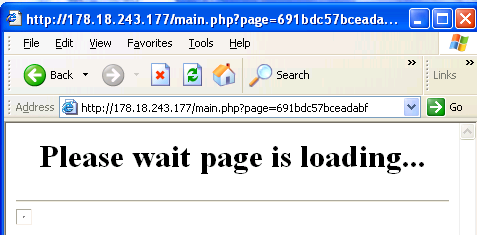
The web page shows familiar BlackHole exploit loading screen:
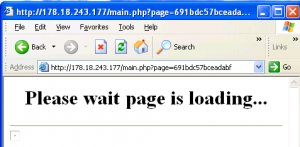
In a background, browser is being served various exploits and once page started loading, I immediately spotted a piece of malware running happily from my Application Data folder.

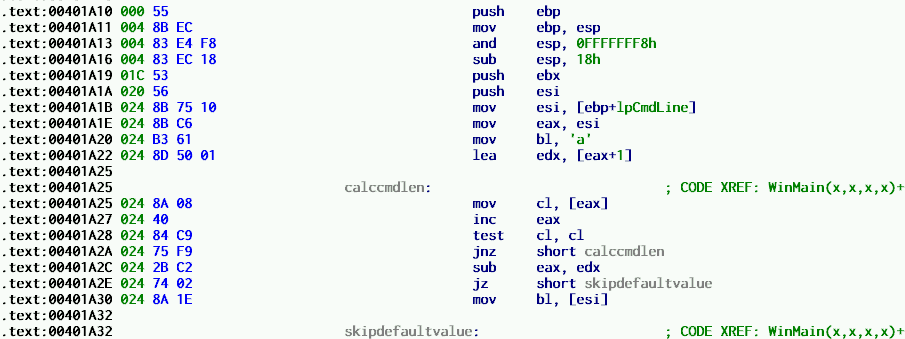
I collected the piece from the sandbox (together with its dropper that was actually dropped and executed by an exploit pack, but then quickly stopped is execution) and loaded the code of a payload dumped from memory into IDA. The code turned out to be a typical malware stuff (downloads&executes stuff from remote site), so not much to say about it really. What I spotted though is that there were two code branches inside WinMain that are dependent on the command line argument. And this gave me an idea to follow up on my old post.
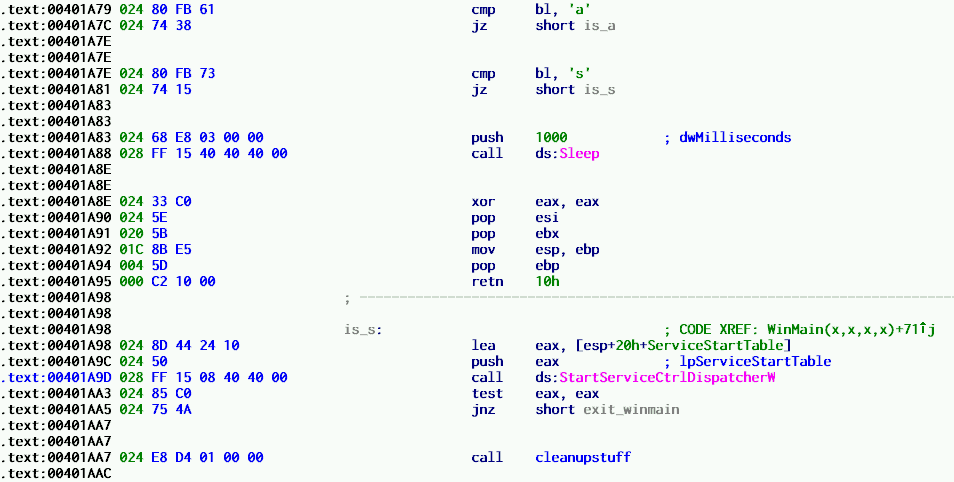
Turns out the malicious .exe accepts two different command line arguments ‘a’ and ‘s’:
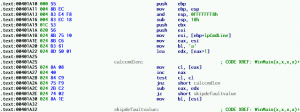
One code branch is for a regular win32 application, and one for a service process started via StartServiceCtrlDispatcherW.
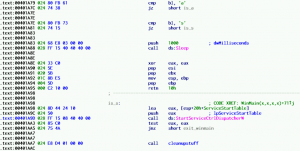
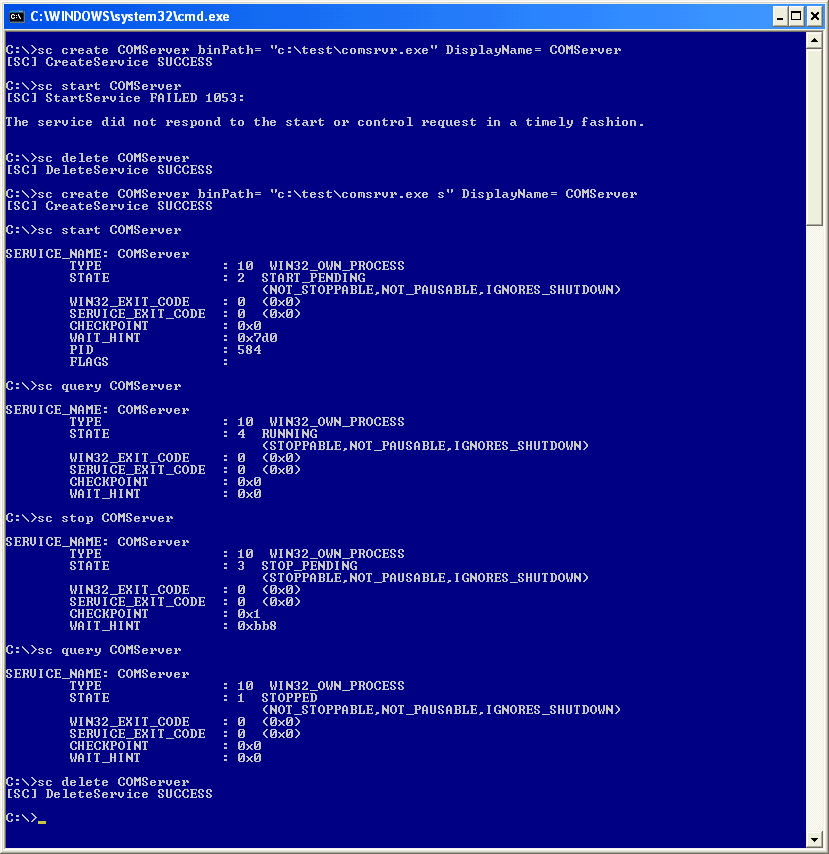
Not only the service process executable may be relying on command line arguments that are hard to guess, but it also needs to be handled differently – one can’t just execute service process from a command line or explorer and observe its behaviour (service needs to be created first, then started e.g. via sc.exe; attempting to run a service process from a command line will bring ERROR_FAILED_SERVICE_CONTROLLER_CONNECT error).
See how typical ‘service process’ testing would fail if command line ‘s’ argument is not provided, and what happens when the correct argument is actually there:
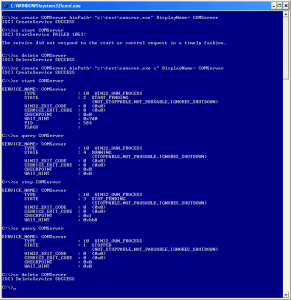
Note one more time that I have been communicating with the malicious .exe via sc.exe program, and not running it directly from a command line (this is how most of the dynamic analysis kick off).
In other words, dynamic analysis has a long way to go ‘to cover all angles’ i.e. manual code inspection and analyzing the code using a good disassembler as you walk through code with a debugger and/or other helper software is the best way to fully understand what’s going on.

 I will post bits and bobs about other findings soon.