In 2017 I posted about sideloading of sti_ci.dll. And it’s that DLL itself that executes the InstallWiaDevice installation command mentioned in that post…
How?
Via its export function called… InstallWiaDevice.
It turns out that we can launch this API directly via rundll32.exe:
rundll32.exe sti_ci.dll, InstallWiaService
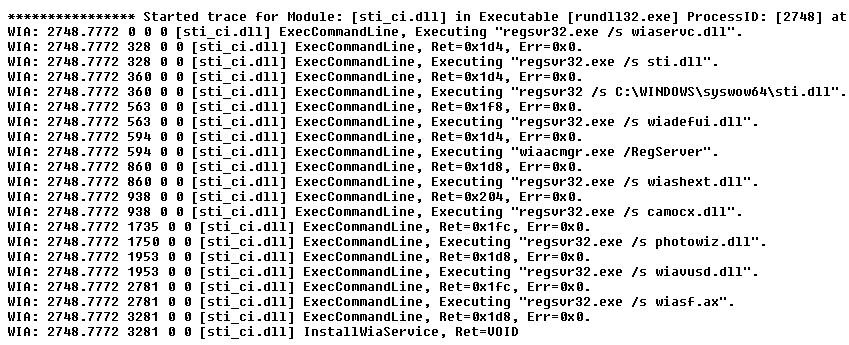
When executed, the API runs a number of programs:
regsvr32.exe /s wiaservc.dll
regsvr32.exe /s sti.dll
regsvr32 /s C:\WINDOWS\syswow64\sti.dll
regsvr32.exe /s wiadefui.dll
wiaacmgr.exe /RegServer
regsvr32.exe /s wiashext.dll
regsvr32.exe /s camocx.dll
regsvr32.exe /s photowiz.dll
regsvr32.exe /s wiavusd.dll
regsvr32.exe /s wiasf.ax
Obviously, this creates a number of new possible lolbin opportunities. The only challenge is that since the rundll32.exe is executed from the system32 directory, the program will look for regsvr32.exe, wiaacmgr.exe there first, same as for the listed DLLs.
To bypass it, one could copy rundll32.exe to a different directory, and launch it from there — not the most elegant solution, but it works.
Bonus:
The sti_ci.dll library logs executed commands in a wiatrace.log file. It may be located in various places on the system:
- %systemroot%\Debug\WIA\wiatrace.log
- c:\Users\<user>\AppData\Local\VirtualStore\Windows\debug\WIA\wiatrace.log
Example entries look like this: