ShimBad the Sailor, Part 3

Windows 11 brings us a lot of new Shim-related goodies and it makes sense to cover at least some of them.

In the second part of this series I listed a number of process names that are treated in a special way by the existing shim database entries.

It turns out that the list of these process names has been extended by at least two:

  • SdbMergeTestEntry_Added_Exe_Item.exe
  • SdbMergeTestEntry_Added_Exe_Item_InboxApp.exe

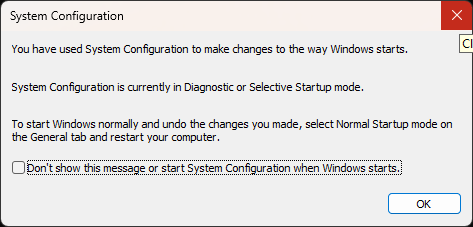
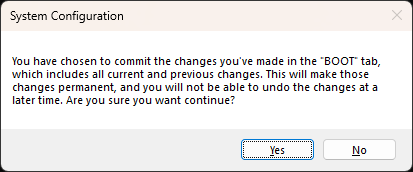
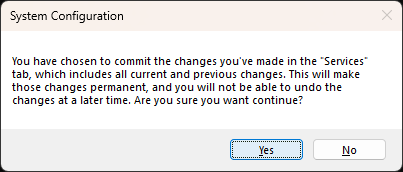
In other words, when you run a program that is named like the two aforementioned entries, you will get these messages:

Additionally, Windows 11 binaries handling shims include references to a list of folders that may be of some interest:

  • %windir%\apppatch\AcPluginDlls\Plugin
  • %windir%\apppatch\AcPluginDlls\PluginWow
  • %windir%\apppatch\AcPluginDlls\PluginWowAMD64
  • %windir%\apppatch\AcPluginDlls\PluginWowARM
  • %windir%\apppatch\AcPluginDlls\PluginWowARM64
  • %windir%\apppatch\AcPluginDlls\PluginWowX86

The Windows 11 installations I saw so far include these test Ac plugins:

  • c:\WINDOWS\apppatch\AcPluginDlls\Plugin\AcPlugin_Test.dll
  • c:\WINDOWS\apppatch\AcPluginDlls\Plugin\AcPlugin_Test2.dll
  • c:\WINDOWS\apppatch\AcPluginDlls\PluginWowX86\AcPlugin_Test.dll
  • c:\WINDOWS\apppatch\AcPluginDlls\PluginWowX86\AcPlugin_Test2.dll

The code referencing these directories resides in a few system libraries:

  • apphelp.dll
  • pcasvc.dll
  • appraiser.dll

but I have not explored yet how they work. As of now, I assume this is a lesser-known Shim Database enhancement mechanism that could be potentially leveraged for persistence and stealth code injection…

1 little known secret of sti_ci.dll

In 2017 I posted about sideloading of sti_ci.dll. And it’s that DLL itself that executes the InstallWiaDevice installation command mentioned in that post…

How?

Via its export function called… InstallWiaDevice.

It turns out that we can launch this API directly via rundll32.exe:

rundll32.exe sti_ci.dll, InstallWiaService

When executed, the API runs a number of programs:

regsvr32.exe /s wiaservc.dll
regsvr32.exe /s sti.dll
regsvr32 /s C:\WINDOWS\syswow64\sti.dll
regsvr32.exe /s wiadefui.dll
wiaacmgr.exe /RegServer
regsvr32.exe /s wiashext.dll
regsvr32.exe /s camocx.dll
regsvr32.exe /s photowiz.dll
regsvr32.exe /s wiavusd.dll
regsvr32.exe /s wiasf.ax

Obviously, this creates a number of new possible lolbin opportunities. The only challenge is that since the rundll32.exe is executed from the system32 directory, the program will look for regsvr32.exe, wiaacmgr.exe there first, same as for the listed DLLs.

To bypass it, one could copy rundll32.exe to a different directory, and launch it from there — not the most elegant solution, but it works.

Bonus:

The sti_ci.dll library logs executed commands in a wiatrace.log file. It may be located in various places on the system:

  • %systemroot%\Debug\WIA\wiatrace.log
  • c:\Users\<user>\AppData\Local\VirtualStore\Windows\debug\WIA\wiatrace.log

Example entries look like this: